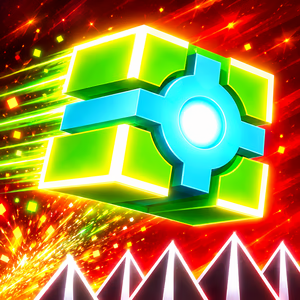
Play Geometry Dash Meltdown 3D online and put your jumping skills to the test. Navigate a three-dimensional obstacle course and avoid deadly traps.
What Is Geometry Dash Meltdown 3D?
When I set out to develop Geometry Dash Meltdown 3D, my goal was to bring a fresh perspective to the obstacle-dodging experience that fans of the Geometry Dash series know so well. Instead of moving along a flat path, you enter a 3D environment with a clear sense of depth, where every jump demands focus and precise timing.
The game revolves around a geometric cube that automatically moves forward through a course filled with traps. The simple controls make it easy to get started, but making it far into the course is a completely different challenge.
How 3D Perspective Changes Geometry Dash Meltdown 3D
In the classic Geometry Dash Meltdown, the side-on view lets you see your character and obstacles on the same flat plane. Every movement is easy to follow, allowing you to gradually learn the rhythm and sharpen your reflexes with each attempt.
With Geometry Dash Meltdown 3D, I wanted to change how you experience the course. The perspective adds depth to the environment, making platforms and obstacles appear at different distances. You must do more than spot hazards. You also need to judge distances, track movement, and decide when to act.
This change creates an exciting challenge. Obstacles that seem familiar can become harder to judge when they appear in three-dimensional space. The tension comes not only from the speed but also from constantly adjusting how you read the path ahead. Every time you overcome a difficult section, you get a clear sense of progress.
Geometry Dash Meltdown 3D Gameplay
Geometry Dash Meltdown 3D follows a simple core concept: your character moves forward automatically, and your job is to guide the geometric cube past the hazards along the way. Sharp spikes, dangerous gaps, and clusters of obstacles demand quick reactions if you want to keep going.
I chose straightforward controls so you can focus on the challenge instead of memorizing a long list of commands. However, simple controls do not mean the game is easy to beat. The farther you progress, the more important observation and timing become. Jump too early or too late, and you may have to start over.
How to Play Geometry Dash Meltdown 3D
Controls
On a computer, you can left-click or press the Spacebar to jump, depending on the controls supported by your version of the game.
Since your character moves forward automatically, precise timing is the key to success. Watch the path ahead and prepare for upcoming obstacles instead of waiting until danger is right in front of you.
Tips for Playing Geometry Dash Meltdown 3D
- Look ahead: Watch for upcoming obstacles so you have enough time to prepare your next jump.
- Time your jumps: Avoid jumping randomly or repeatedly. Adjust each move based on the position and distance of the obstacle.
- Learn from every failure: Remember where you hit an obstacle and try adjusting your timing on your next attempt.
- Stay focused: Keeping calm and paying attention to the path will help you handle obstacle sequences more accurately, especially when the 3D perspective makes distances harder to judge.
Conclusion
Geometry Dash Meltdown 3D brings a fresh twist to the familiar platforming experience with three-dimensional visuals and challenges that demand precise reflexes. My goal is to make every run an opportunity to explore, experiment, and improve, even when you have to start over several times. Jump into the course, master every move, and find out how far you can go in this geometric world packed with dangerous traps!
Ready for your next gaming challenge? Visit Polargeist.io and dive into more exciting Geometry Dash adventures!